


The Minnesota Star Tribune
4.3608.00 Reviews
App Specs
- Version
- 4.7
- Updated On
- License
- Free
- Downloads
- 100,000+
- Developer
- Star Tribune Media Company
- Categories
- News & Magazines
- Platform
- Android
Screenshots




 Analysis by AppCompare
I judge a news app less by how much it promises to cover and more by whether it helps me find the right story quickly, then get back to my day without a fuss. The Minnesota Star Tribune app is aimed squarely at readers who want a regular view of life in Minnesota, with broader news alongside it. I’d consider it most useful if local reporting is part of your daily routine, rather than if you only want a quick glance at headlines from everywhere.
What to expect when you open it
For a focused check-in, the app’s news sections give me a clearer starting point than a general feed that mixes local, national, and international stories according to a broad algorithm. That focus is its main distinction from many other news apps: it puts a Minnesota newsroom at the center of the experience. If you live in the state, follow its institutions, or have family and interests there, that can make the reading feel more relevant than a bigger, less local news roundup.
The trade-off is just as important. Readers who want a wide selection of publishers, a strongly personalized feed assembled from many sources, or coverage centered on another region may be better served by a general news aggregator or a local outlet where they live. I wouldn’t choose this as my only news source if I needed a deliberately broad range of editorial perspectives. I would choose it as a convenient way to keep Minnesota coverage close at hand.
A useful rhythm for busy days
A practical way to use a local news app is to give it a few short visits rather than let it become an endless scroll. I might check the latest news with breakfast, open a specific section when I have a reason to follow a story, then make one more pass later if the day brings a major development. The point is not to read everything; it is to use the publication’s local focus to decide what deserves attention.
For example, imagine planning a weekend while keeping an eye on a local issue that could affect your plans. I’d first scan the news for the larger context, then check the weather before deciding what to do, and look at sports if a game is part of the day. Those separate visits make more sense than treating every notification as an invitation to stop whatever I’m doing. A headline alert can tell me that something is happening; opening the article when I have time is a better way to understand why it matters.
That distinction is especially helpful when breaking news arrives during work or a commute. Notifications can bring an important development to my attention, but I’d keep them limited to the updates I genuinely want interrupting my day. If every alert feels urgent, the feature loses its value and the app becomes another source of noise. A quieter setup makes it easier to use the app intentionally instead of checking it out of habit.
Reading, sections, and trade-offs
Local coverage is most valuable when I follow a topic over time, not only when I read one headline. A story may be followed by a later update, background reporting, or a related piece in another section. When that happens, I’d use the section navigation to return to the subject instead of relying on a single notification to tell the whole story. This is a small workflow, but it helps avoid mistaking a first report for the final word.
Worth Reading Before You Choose

EA SPORTS FC Mobile 26 Is a Bigger Football Game, but It Takes Time

Flipboard Shows What News Apps Must Do Beyond the Feed

Switching to Android Auto Means Rethinking Your Driving Routine

Google Calendar Makes a Crowded Week Easier to Manage

Ludo King Makes the Most of the Minutes Between Plans

Baby Panda World Brings Quick Play to Modern Phones, but Its Game Library Feels Busy
It also gives the app a different role from social feeds. A social post can surface a neighborhood conversation quickly, but it may offer little context; a local newsroom’s reporting can provide a more structured account of what is known. I see these as complements rather than substitutes. If I need immediate eyewitness chatter, a community channel may be faster. If I want a reported explanation of a Minnesota development, this app is the more natural place to look.
There are limits to that approach. A publication-centered app naturally reflects the coverage and priorities of its newsroom, so it won’t show every perspective or every small community discussion. Readers who need a subject-specific stream, such as a broad national briefing or a niche hobby feed, may find a specialist source more efficient. The best reason to keep this app is not that it covers everything, but that its Minnesota reporting can make the important local context easier to find.
Cost, access, and who it suits
The app is free to download, but in-app purchases range from $0.99 to $259.99 per item, so I’d check the terms shown in the app before assuming every article or service is included at no cost. That matters if you plan to make it your main daily newspaper rather than use it occasionally. A quick download is easy; understanding the access options before building a reading routine can prevent an unwelcome surprise.
It is published by Star Tribune Media Company and is listed in the News & Magazines category. The app has a 4.3 average from around 1.3 thousand ratings, with more than 100 thousand installs, which suggests it has found an established audience without guaranteeing that every reader will like its approach. Its Everyone 10+ rating is another practical detail for households deciding whether it suits younger readers; parents should still use their own judgment about news topics and screen habits.
On the technical side, version 4.7 requires Android 8.0 or later. That gives older-device owners a concrete compatibility check to make before downloading. I wouldn’t infer speed, battery use, or stability from the version number alone: those can vary with a phone, connection, and the content being opened. If the app feels slow on a particular device, checking the connection and restarting it are sensible first steps, while keeping Android up to date can help with general compatibility.
Speed expectations and heavier use
For a news app, the experience I care about most is whether I can move from a section to a story without unnecessary friction. The straightforward navigation described in my day-to-day use makes quick checks feel practical, but news pages still depend on a working connection and the conditions of the phone. If I’m on a weak signal, I’d expect articles and images to take longer than they do on a reliable network; that is a limitation of mobile reading generally, not a reason to assume the app is broken.
Heavier sessions ask more of the experience than a brief headline scan. Opening several image-rich stories, switching between weather and sports, and responding to alerts in quick succession can make any news app feel busier. I’d avoid drawing conclusions from one slow load. Instead, I’d try another section, check whether other apps are also struggling online, and reopen the app if navigation stops responding. That simple troubleshooting separates a temporary connection issue from a problem that persists across sessions.
There is also a useful trade-off between speed and depth. A quick headline pass is efficient, but it can leave out context; longer articles take more time and may involve more scrolling. I’d use the app’s sections to narrow the choice before opening a story, rather than loading several pieces just to decide what I care about. That habit keeps a short check-in short and reserves deeper reading for subjects that matter to me.
Reliability and recovery habits
News is time-sensitive, so I value an app that gives me a clear route back to the story I meant to read. If I’m interrupted by a call or switch to another task, I’d return through the relevant section or notification rather than assume the previous screen will always be waiting exactly as I left it. That is a practical habit for mobile reading, where interruptions are ordinary and a connection can change while I’m away.
I’d also treat alerts as pointers, not as a complete record of developing events. A notification may bring me to a story, while later reporting can add context or correct an early understanding. For anything consequential, I’d reopen the related coverage instead of relying on the brief alert text. This is especially useful for local developments that unfold across a day: the first update may answer what happened, while a later article can help explain what comes next.
If the app closes unexpectedly or a page stalls, I’d first reopen it and try the same task once more. If the issue happens repeatedly, checking the network and whether the device meets the Android requirement are more useful than repeatedly tapping a frozen screen. I can’t promise a particular recovery behavior on every phone, but those steps are straightforward and help identify whether the trouble is isolated to the app or part of a wider device or connection problem.
Who should keep it, and who can skip it
I’d recommend the app to Minnesota residents who want local reporting in their regular news routine, people who follow the state from elsewhere, and readers who like having news, weather, and sports available in one publication-focused place. It can also suit someone who wants a local check-in alongside a broader national news source. The app’s value is strongest when you recognize the places, teams, and public issues its coverage follows.
I’d skip it if your main goal is an all-in-one feed assembled from many publishers, if your interests are mostly outside Minnesota, or if you prefer to get every update through a browser or a different news habit. I’d also pause before relying on it as a full newspaper replacement until I had checked which in-app purchase options match my reading needs. Those are not flaws for every reader; they are reasons to choose based on how you actually consume news.
Have you ever found yourself longing for a slice of Minnesota life right at your fingertips? Well, then the Minnesota Star Tribune app might just be your new best friend. I’ve spent quite a bit of time exploring this app, and let me tell you, it’s like having the North Star State in your pocket. Let’s dive into what makes this app tick and why it might be worth a spot on your home screen.
First Impressions and User Interface
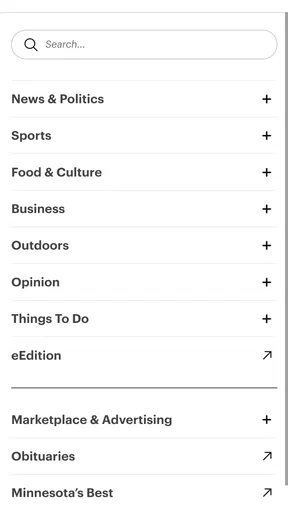
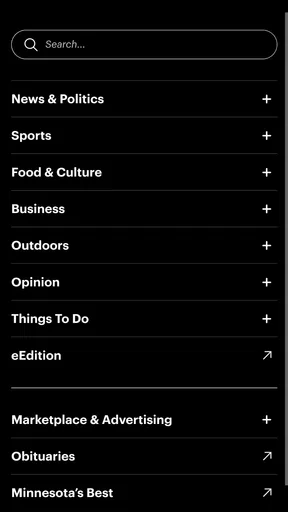
When you first open the Minnesota Star Tribune app, you’re greeted with a clean and intuitive interface. It’s not flashy or over-the-top. Instead, it’s like a friendly Minnesotan, welcoming you with open arms. The navigation is straightforward, with tabs for the latest news, weather updates, sports, and more. I found everything I needed within a couple of taps, which is a big win in my book.
The design is minimalist, ensuring that you focus on what matters most: the content. The fonts are crisp and easy to read, and the images are high-quality. It’s like reading a digital newspaper, minus the ink stains on your fingers. The app doesn’t bombard you with ads, which is a refreshing change from some other news apps I’ve tried out.
Content and Coverage
So, what kind of content can you expect from this app? The Star Tribune is renowned for its comprehensive coverage of local news, and the app delivers just that. Whether you’re interested in the latest political developments, business news, or community events, this app has you covered. I particularly enjoyed the in-depth articles that give you a real sense of what’s happening across Minnesota.
Of course, it’s not just about local news. The app also provides national and international news, keeping you informed on global happenings. There’s a good balance of serious news and lighter stories, so whether you’re in the mood for some hard-hitting journalism or a feel-good piece, you’ll find something to suit your mood.
Weather and Sports: Keeping You Updated
Let’s talk about one of my favorite features: the weather updates. Minnesota is known for its unpredictable weather, and this app keeps you on top of it with real-time updates. It’s like having a personal meteorologist in your pocket. The weather section is detailed and gives you everything from hourly forecasts to long-term trends.
And for all you sports fans out there, the sports section is a real treat. Whether you’re cheering for the Vikings, the Twins, or the Timberwolves, you’ll find all the latest scores and news. It’s like having a front-row seat to all the action, right from the comfort of your couch.
Personalization and Notifications
One of the things that really stood out to me was the personalization options. You can tailor the app to suit your preferences, selecting the types of news and updates you want to see more of. This means you’re not wading through content that doesn’t interest you, making your news experience much more enjoyable.
The app also offers notifications, so you can stay updated on breaking news without constantly checking in. I found this feature particularly handy, as it meant I didn’t miss out on important updates, even on my busiest days.
Final Thoughts
So, is the Minnesota Star Tribune app worth downloading? In my opinion, absolutely. It’s a reliable and well-designed app that provides a wealth of information at your fingertips. Whether you’re a Minnesota native or just someone who loves to keep up with the latest news, this app is a fantastic tool.
It’s not just about the news; it’s about connecting with the community and staying informed about the world around you. So why not give it a try? You might just find yourself reaching for your phone more often, eager to see what’s new in the Land of 10,000 Lakes. And remember, stay curious and keep exploring!
Pros
- Comprehensive local news coverage.
- User-friendly navigation interface.
- Timely push notifications.
- Customizable news categories.
- Offline reading available.
Cons
- Limited international news content.
- Occasional ads can be intrusive.
- Some features require subscription.
- App may lag on older devices.
- Limited multimedia content.
FAQs for The Minnesota Star Tribune
What platforms is the Minnesota Star Tribune app available on?
The Minnesota Star Tribune app is available for both Android and iOS devices. You can download it from the Google Play Store for Android devices and the Apple App Store for iOS devices. Make sure your device meets the necessary system requirements for optimal performance.
Does the Minnesota Star Tribune app require a subscription?
While the app is free to download, accessing full content and premium features typically requires a subscription. Some articles may be available for free, but a subscription will provide unlimited access to all articles, interactive features, and archives. Check the app for specific subscription options and pricing.
Can I personalize my news feed in the Minnesota Star Tribune app?
Yes, the Minnesota Star Tribune app allows users to personalize their news feed. You can select topics of interest, such as local news, sports, or entertainment, to customize what appears on your feed. This feature ensures that you receive the most relevant updates directly tailored to your preferences.
Does the Minnesota Star Tribune app offer offline reading?
The app provides an offline reading feature that allows you to save articles for later. This is particularly useful if you want to read without an internet connection, such as during travel. Simply download the articles when you have access to Wi-Fi or data, and read them at your convenience.
How frequently is the content updated in the Minnesota Star Tribune app?
The Minnesota Star Tribune app is updated regularly throughout the day to provide the latest news and information. Breaking news alerts and notifications ensure that you are always informed about significant events as they happen. This frequent updating keeps you connected to current events in real time.


